Scoop
安装与验证
Scoop 是 Windows 的命令行安装器。使用普通用户的 PowerShell,按 官方安装说明检查版本和执行策略要求,然后安装:
# 官方安装器;需要联网
irm get.scoop.sh | iex
scoop --version
scoop checkup
若执行策略阻止安装,先阅读官方说明并确认策略要求。安装后重新打开终端,使 PATH 生效。
基本使用:安装与维护
scoop search git
scoop install git
scoop info git
scoop list
scoop status
scoop update
scoop update git
search 查询软件,list 查看已安装软件;update 单独执行时更新 Scoop 和软件清单,带软件名时更新对应软件。
Bucket 与环境迁移
bucket 是软件安装清单的集合。增加官方 extras 后可搜索更多图形界面应用:
scoop bucket add extras
scoop bucket list
scoop export > scoopfile.json
# 在另一台已安装 Scoop 的机器上导入
scoop import scoopfile.json
导出文件记录安装清单,不能代替软件数据和用户配置的备份。
代理配置
scoop config proxy 127.0.0.1:7897
scoop config rm proxy
端口只是示例,应替换成实际代理监听端口。取消设置用 rm。
特点
- Windows 上的命令行包管理器
- 无需管理员权限即可安装软件
- 安装路径统一管理,不污染系统环境
- 适合开发者快速搭建开发环境
- 软件更新简单,支持版本切换
Scoop 是一款 Windows 操作系统的 CLI 安装器
基本使用
# 列出已安装的应用
scoop list

# 查看状态
# 1. 查看哪些软件需要升级
scoop status

# 查看应用信息
scoop info xxx

# 升级 scoop 或者包
scoop update
scoop update xxx
# 升级所有
scoop update --all

# 安装
scoop install xxx

# 卸载
scoop uninstall xxx
所有命令
scoop
alias      Manage scoop aliases
bucket     Manage Scoop buckets
cache      Show or clear the download cache
cat        Show content of specified manifest.
checkup    Check for potential problems
cleanup    Cleanup apps by removing old versions
config     Get or set configuration values
create     Create a custom app manifest
depends    List dependencies for an app, in the order they'll be installed
download   Download apps in the cache folder and verify hashes
export     Exports installed apps, buckets (and optionally configs) in JSON format
help       Show help for a command
hold       Hold an app to disable updates
home       Opens the app homepage
import     Imports apps, buckets and configs from a Scoopfile in JSON format
info       Display information about an app
install    Install apps
list       List installed apps
prefix     Returns the path to the specified app
reset      Reset an app to resolve conflicts
search     Search available apps
shim       Manipulate Scoop shims
status     Show status and check for new app versions
unhold     Unhold an app to enable updates
uninstall  Uninstall an app
update     Update apps, or Scoop itself
virustotal Look for app's hash or url on virustotal.com
which      Locate a shim/executable (similar to 'which' on Linux)
应用
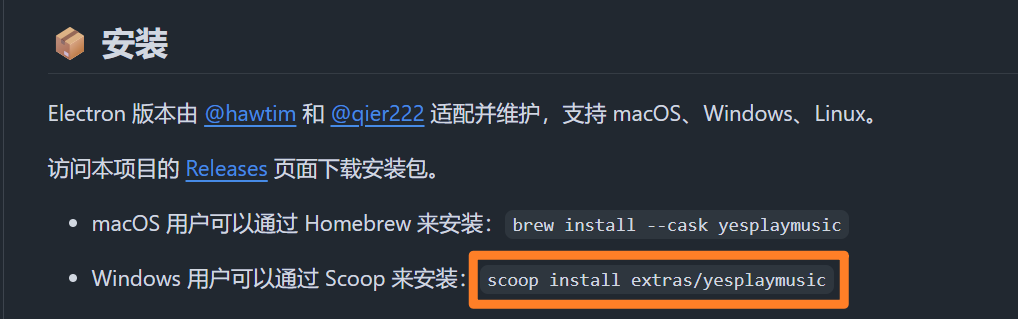
使用 Scoop 安装 YesPlayMusic
FAQ
代理示例与取消方法见上方“代理配置”章节。